


Image: Higgsfield (video still)
Summary
- Higgsfield on October 5 published a guide to keeping characters consistent across AI animated series, advising creators to lock reference images first and reuse them in every generation.
- Soul ID learns a character from more than 20 photos, and Cinema Studio 4.0 generates scenes with up to 30 seconds per clip and up to 50 references.
- Blendl said this approach let him finish a 1 minute 20 second episode in about four hours.
Higgsfield on October 5 published a production guide on its blog for stopping characters and art styles from drifting from scene to scene when making animated series with AI. The core advice is to settle reference images for characters, style, locations and props before generating any video, and to call those references back in every generation. The company said skipping that setup makes visual drift much more likely as a series grows. A practitioner interview released the same day showed how a former animator uses these principles to release a series episode every day or two.
Drift happens because each scene is generated separately. According to Higgsfield, unless the same identity and references are carried forward, the model reinterprets a character description slightly differently every time, and those small differences add up across a series. The guide sorts the problem into five cases: a character's face or proportions shifting between episodes, the art style sliding toward a generic default look, clothing or props changing with no story reason, the same location looking different between episodes, and color grading or lighting shifting scene to scene.
The remedy is built on four tools. On Higgsfield, which bundles more than 35 models and tools in one workspace, Soul ID holds the character and trains from more than 20 reference photos in a few minutes. Soul 2.0, the company's in-house image model, generates images up to 2K with more than 20 presets, locking the art style with Moodboard and the color palette with Soul HEX. Popcorn turns a script or scene list into a shot-by-shot storyboard, and its Auto mode expands one prompt into up to eight frames. The actual shots come from Cinema Studio 4.0, with up to 30 seconds per clip and up to 50 references per generation.
Genre, camera, lens, tempo, emotion wheel, color palette and era are all direct controls in Cinema Studio 4.0. The guide recommends setting them explicitly instead of leaving them to the prompt text, so the same cinematography choices are reused rather than described afresh in every shot. The same goes for style. Retyping a style description each time, the company explains, just means hoping the model interprets it the same way twice.
The workflow has six steps. Lock the character's identity in Soul ID, set the art style in Soul 2.0 and generate locations, objects and wardrobe in that same style. Map out in Popcorn which locations and props appear where, then generate the shots in Cinema Studio 4.0. Compare each new episode with the original reference images rather than the previous episode, because a design can hold steady within one episode yet quietly drift from season one to season three. If something has drifted, fix it with an editing tool before regenerating the entire shot.
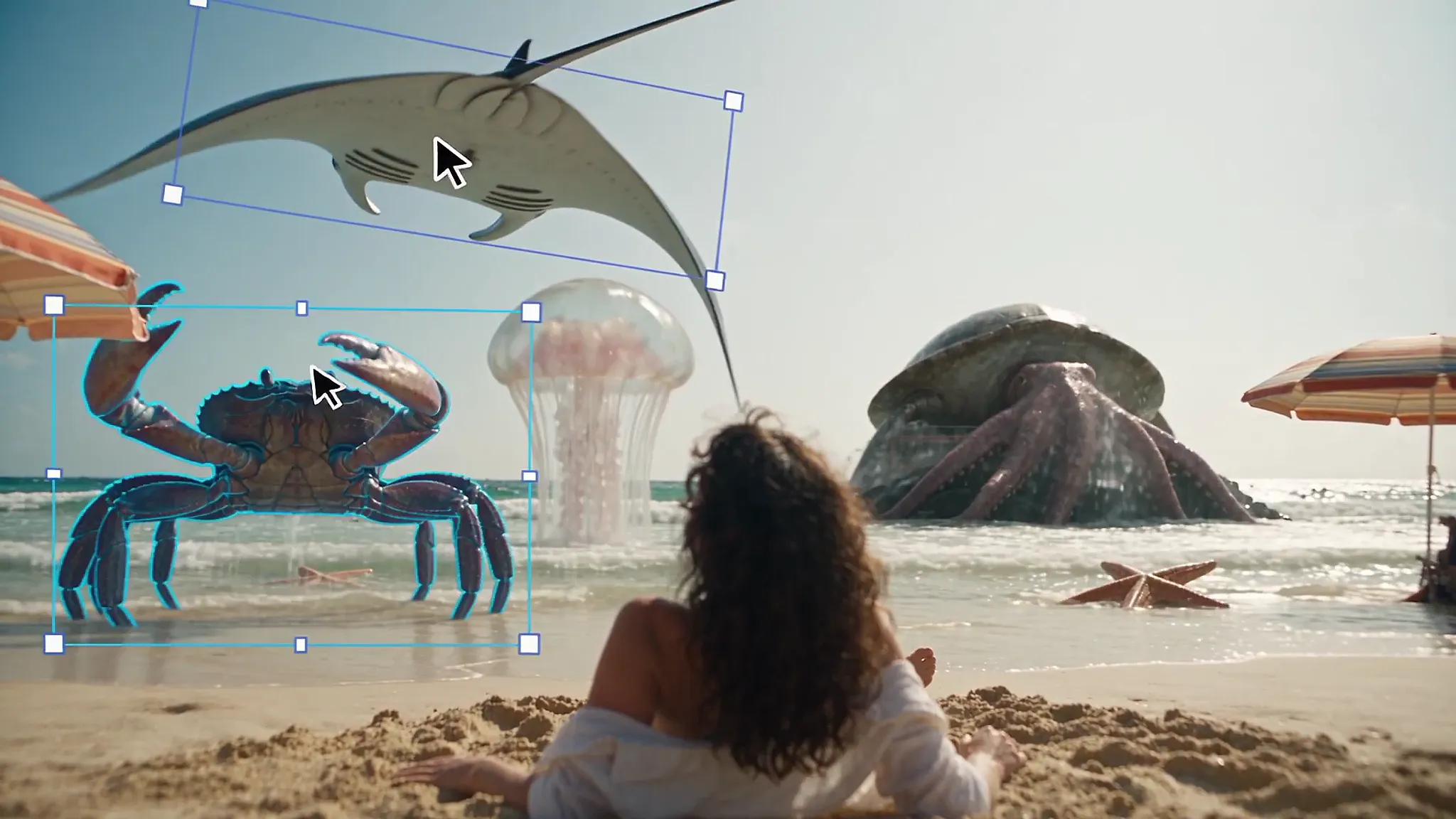
Two tools handle fixes. Genjutsu's Object Swap replaces a character, outfit or location while keeping the camera, motion and composition, and Motion Transfer rebuilds a scene around a different character or location while keeping the original motion and timing. Seedance 2.5 Edit handles local changes inside an existing clip, either described with a prompt or marked directly with Draw to Edit. Seedance 2.5 supports clips up to 30 seconds and up to 50 multimodal references. The guide stresses that regenerating a still reference costs far less than finding a mismatch in a finished video.
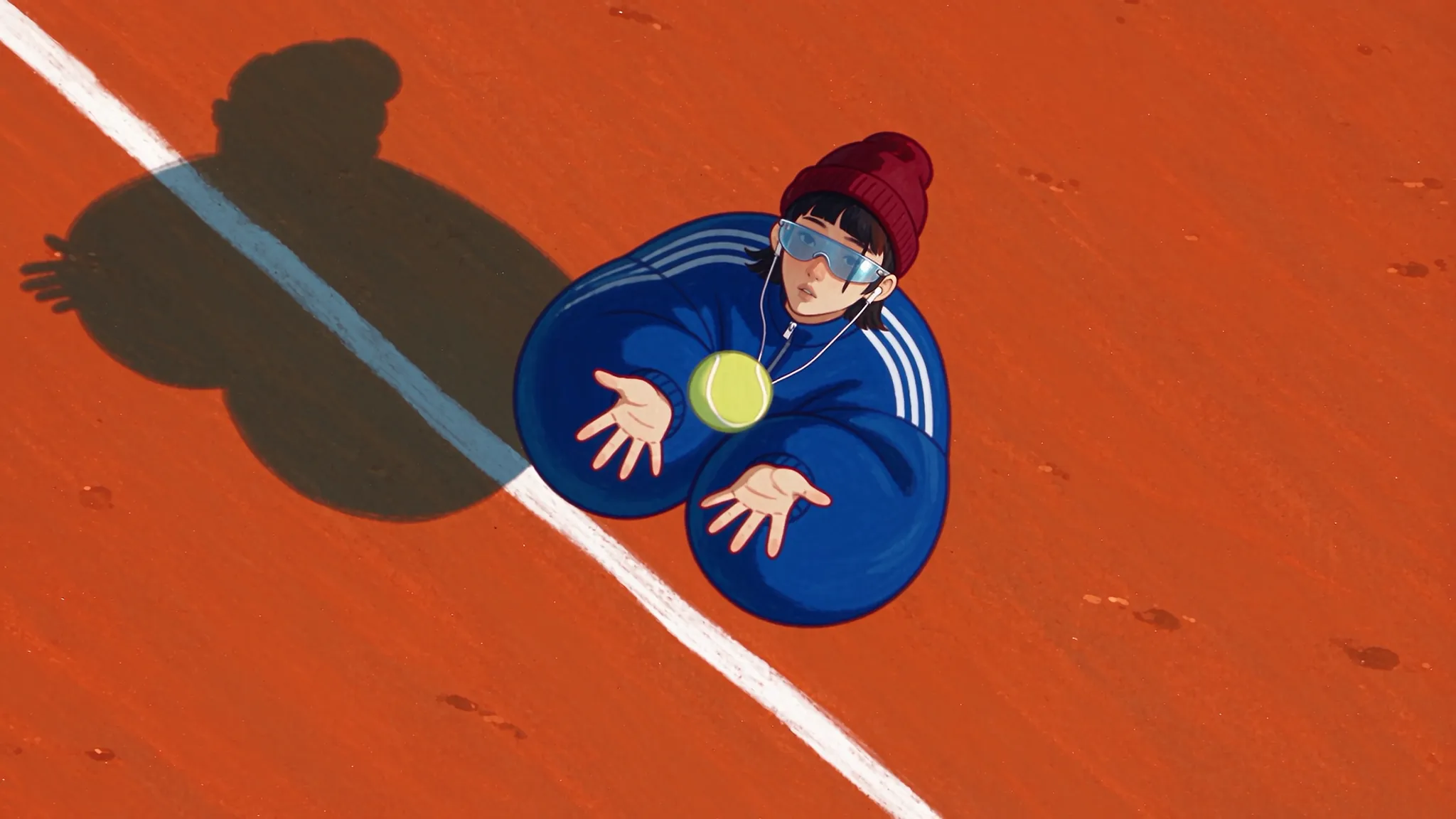
The video attached to the guide, which METAL reviewed, is a 13-second silent animation. The same character in a red beanie, an oversized blue track jacket and red and white sneakers appears across several shots on a tennis court, from a wide view through the fence to an over-the-shoulder shot, a close-up of the feet and a full frontal view, with the same face and outfit throughout. The orange court surface, fence and tree backdrop keep the same art style from shot to shot.
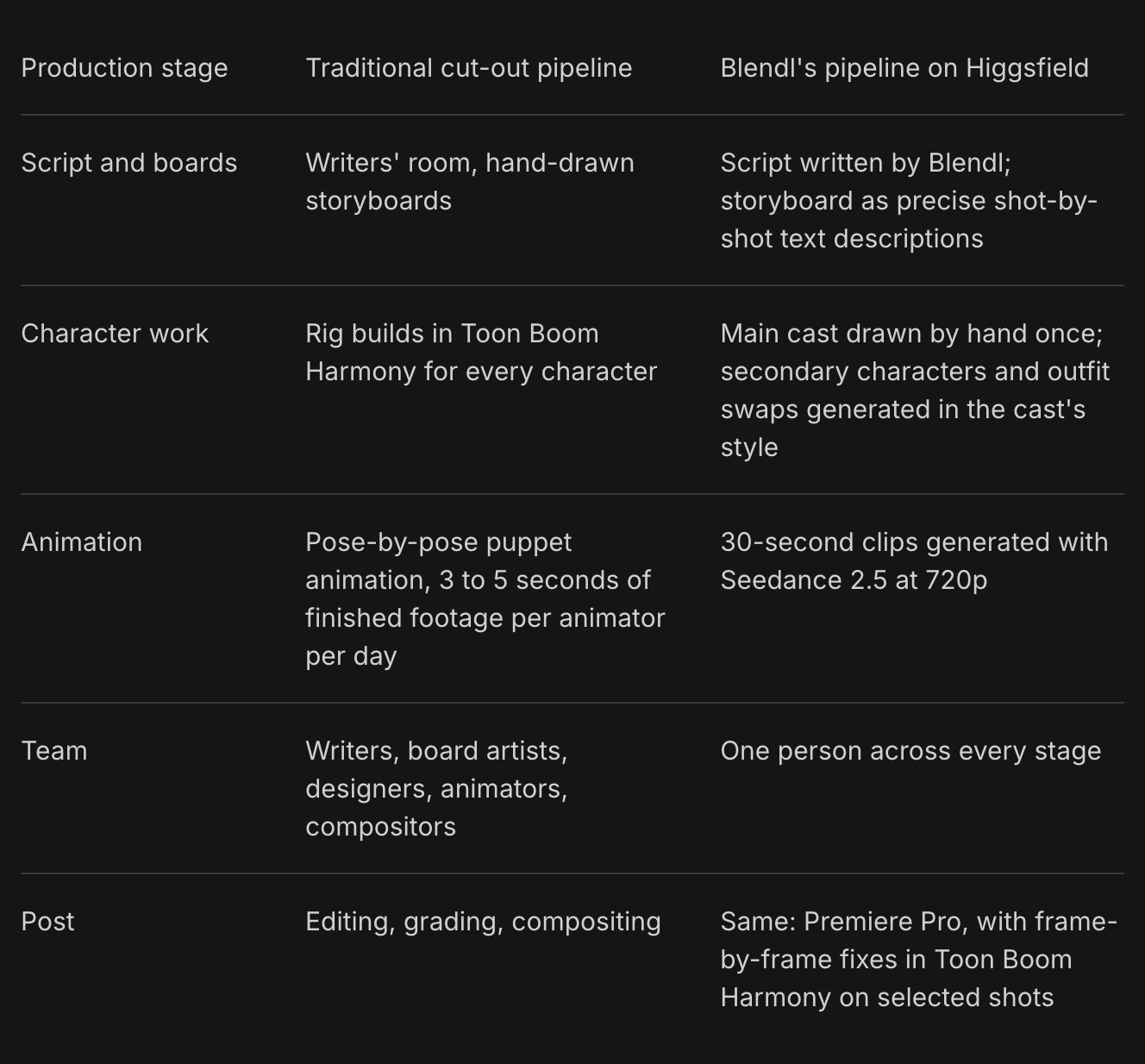
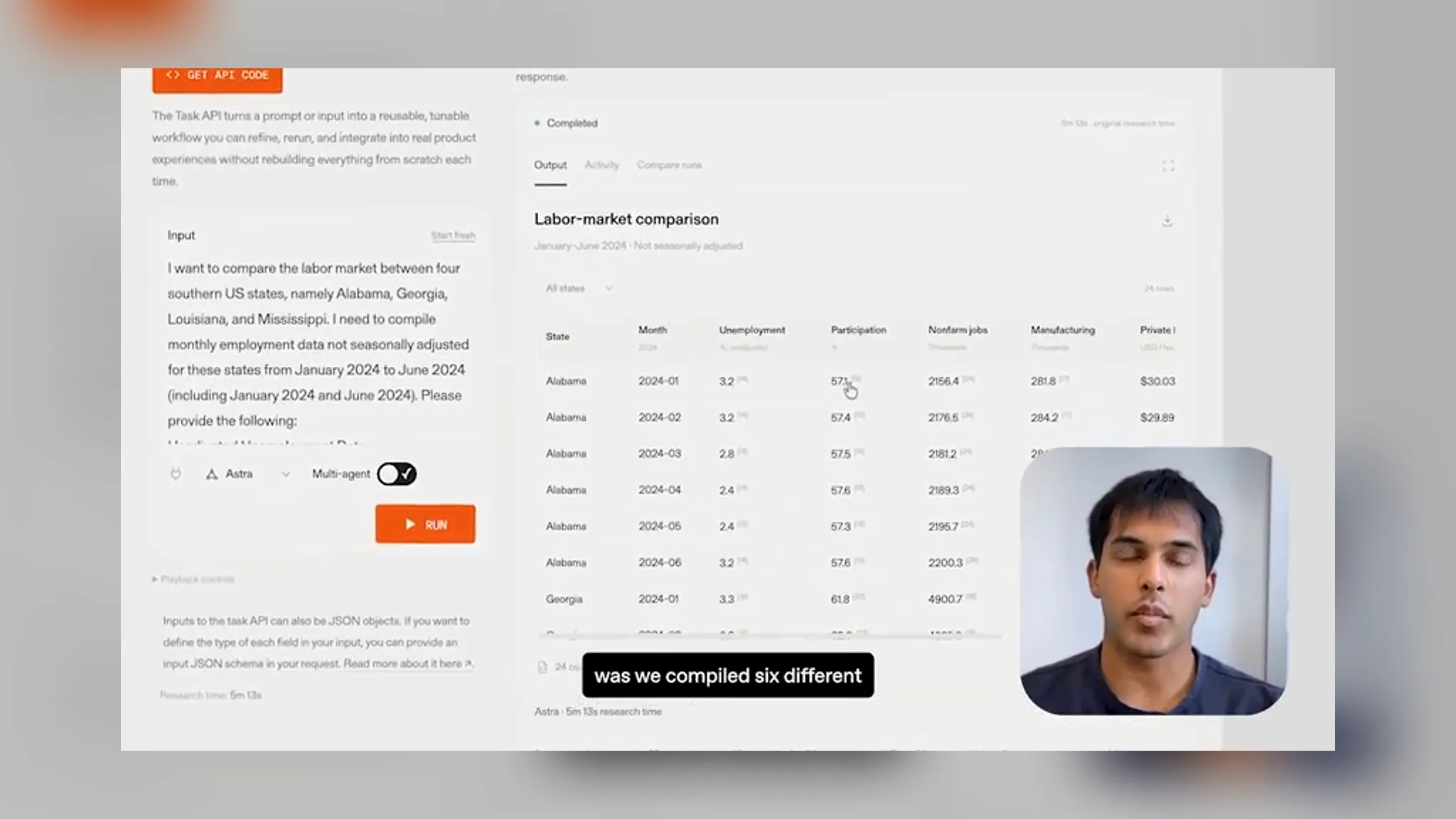
Hugo Blendl's case shows how the principles work in practice. A 2D animator from Mexico City who served as animation supervisor on seasons 5 and 6 of Rick and Morty, he now makes the comedy series Zero to Hero on his own. According to the Higgsfield interview, he creates one Element per main character from a design on a white background, tags it in every generation and uses three-quarter views by default. Because attaching a full rotation sheet tends to duplicate the character in the shot, he uses rotations only for scenes where characters turn, jump or fight. He does not generate backgrounds separately, instead putting the character and a highly specific location description in the same request, and he saves recurring locations once for reuse.
Blendl generates episodes as 720p, 30-second clips with Seedance 2.5. A recent episode, including the script, outfit redesigns and a new villain, took about four hours for 1 minute 20 seconds of finished animation. In the TV industry, one animator produces 3 to 5 seconds of finished footage per day. "If you're going to direct an AI to animate, you still need to understand animation and cinematography," he said. "If you can't translate your ideas into precise language, meaning shot sizes, camera moves, acting, and timing, the result won't look good." He also described his approach as "using a tool to take over a task I'm tired of doing, but one I know how to do." Voice does not yet carry over because each generation handles audio on its own, and he plans to bring in real voice actors over time.
METAL previously reported on Higgsfield's short animation making-of video. That piece followed how one film was finished; this guide shifts the focus to carrying the same faces and the same world across many episodes. It is a sign that competition among AI video tools is moving from the quality of a single shot to the continuity of a series.
The conclusion lies in the order of work. Making references first, locking settings and checking against the original references turns the improvisation of generative models into production discipline. As long as tools do not remember for creators, a series' consistency will be decided by the depth of the reference library its creator builds.
Comments