


Summary
- OpenAI has unveiled "ChatGPT for Teens" for users aged 13-17, along with a Korean-language guidance page for parents
- Eight learning features, including Study Mode and a "Responsible Homework Reminder," come bundled with four protective measures applied by default
- Parents can manage features, time restrictions, and study hours, but cannot view their child's conversation content
On August 18, OpenAI unveiled "ChatGPT for Teens," a dedicated ChatGPT environment for users aged 13 to 17. The core of the announcement is bringing together previously separate teen safety measures, newly built learning features, and parental controls introduced last year into one place. In a blog post, OpenAI described the environment as "an experience that helps teens learn, think critically, expand their understanding, and use AI confidently."
The rollout is default, not opt-in. It automatically activates for accounts where users have self-identified their age as 13-17, as well as accounts that OpenAI's age-estimation system determines belong to users under 18. OpenAI also launched a multilingual parent guidance page, including a Korean version, publishing a list of features and frequently asked questions. This page contains the answer to a question that was hard to glean from the announcement materials alone: exactly what can parents control?
Designed not to hand over answers immediately
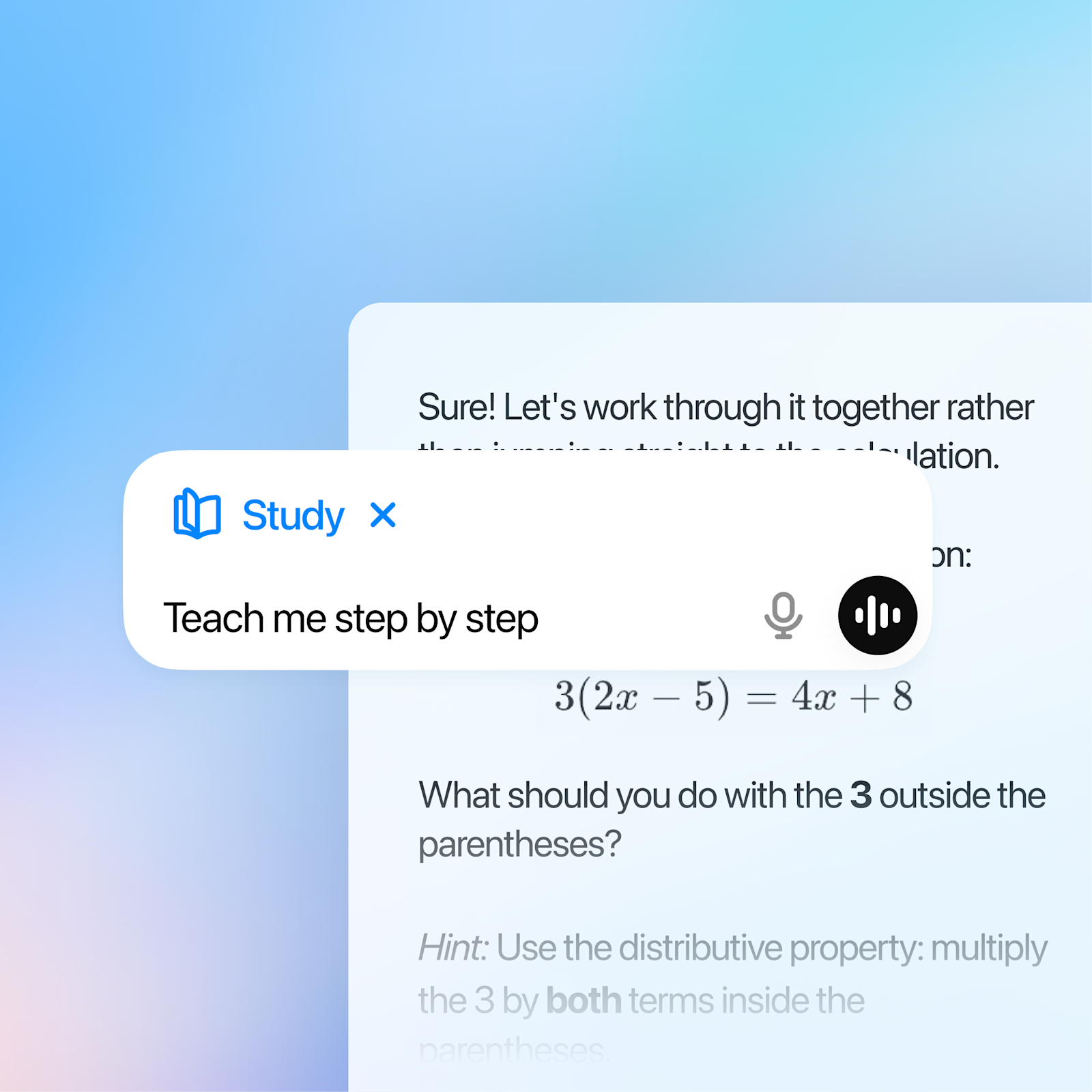
The feature with the most distinct character in this update is the "Responsible Homework Reminder." OpenAI explains it this way: if a teen appears to be trying to get a quick answer rather than working through the assignment themselves, ChatGPT can recognize the situation and switch the conversation into Study Mode. Rather than blocking the answer, it redirects the path to it.
Study Mode guides students through problems step by step using leading questions. In an example screen provided on the official page, for the linear equation 3(2x − 5) = 4x + 8, instead of immediately giving the solution, ChatGPT asks back, "What should we do with the 3 outside the parentheses?" and offers a hint pointing to the distributive property.
"Study Hours" builds on this. When a teen or their parent designates a time block, Study Mode turns on by default during that window. OpenAI explained the combination as intended to "make it easier to build better study habits into daily life."
Raquel Gibson, a high school math teacher in Miami, said in OpenAI's announcement materials: "Not every student has someone at home to help them when they're stuck. With the right guardrails, AI can fill that gap... Instead of just handing over the answer, individualized support that helps a student understand their own mistakes and build confidence can make a meaningful difference for a student who doesn't know how to move forward."
Eight learning features, as officially described
The Korean-language guidance page lists eight items as learning tools. The descriptions below are rendered from OpenAI's official explanations.
| Feature | Official Description |
|---|---|
| Study Mode / Study Sessions | Guides students through problems step by step to deepen understanding |
| Responsible Homework Reminder | Can switch the conversation to Study Mode if it appears the student is trying to get a quick answer rather than solving the assignment themselves |
| Interactive Visuals | Interactive visual aids help students explore math and science concepts |
| Quizzes | Students learn by directly solving problems based on conversation content or uploaded notes |
| Projects | Organizes notes and ideas for school assignments or personal work |
| Writing Support | Helps with brainstorming, essay outlining, and improving clarity through iterative revision and feedback |
| Deep Research | Helps explore complex topics and synthesize information |
| Image Generation | Turns notes into flashcards, study guides, and illustrations to aid concept understanding |
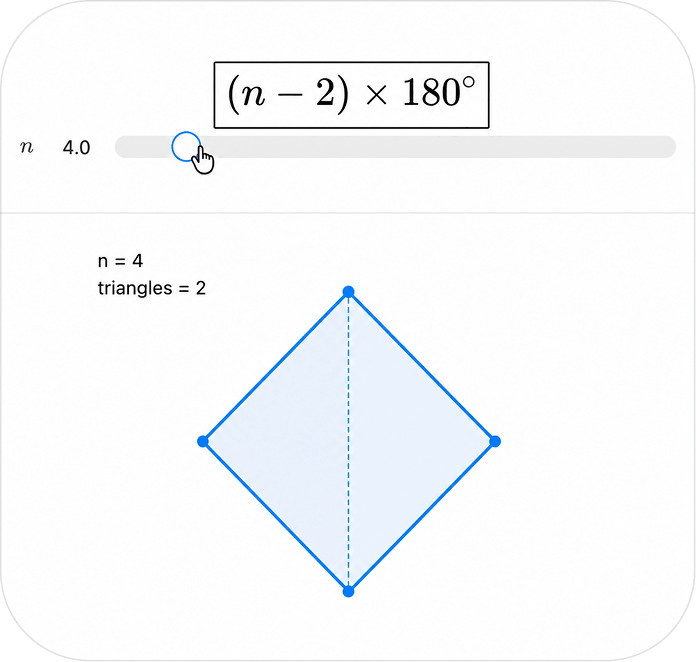
The Interactive Visuals feature has a concrete official example. Next to the formula for the sum of interior angles of a polygon, (n − 2) × 180°, there is a slider for the number of sides n; changing the value simultaneously updates the shape and the number of triangles it's divided into. It's built to let students manipulate values rather than memorize the formula.
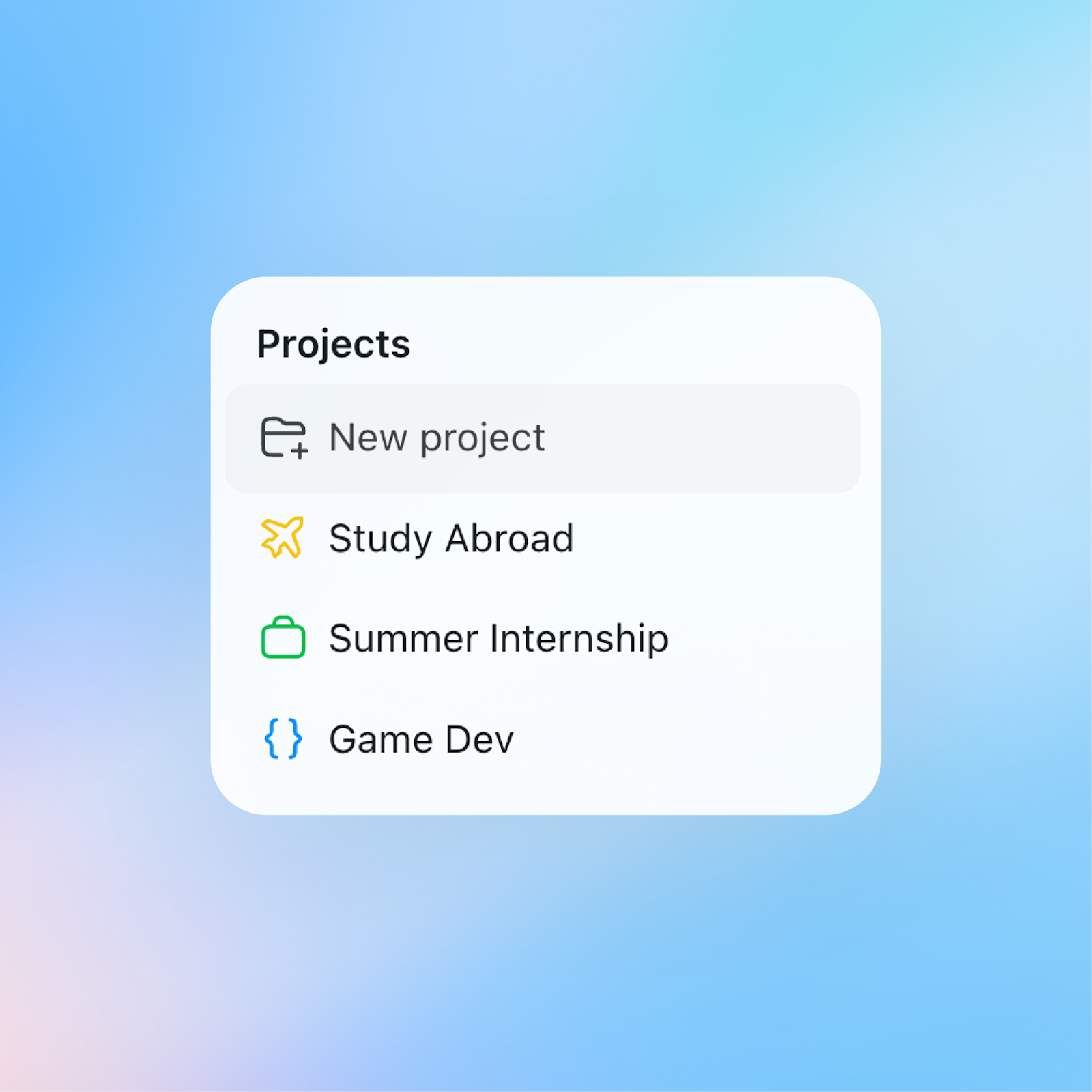
Projects, a feature that already existed for adult accounts, carries more weight for academic use in the teen environment. The official screen shows example folders such as "Study Abroad Prep," "Summer Internship," and "Game Development."
Four protections turned on by default
Protective measures are not toggles teens can switch on and off — they are the default state. The Korean page describes them in four categories. First, limiting exposure to age-inappropriate or sensitive content. Second, reducing responses that could support unsafe activities. Third, offering responses that help solve problems rather than provide shortcuts. Fourth, guardrails that reinforce safe usage patterns, connecting users to real-world support when appropriate or suggesting a break.
The English-language announcement provided more grounding detail. These protections are based on the "under-18 principles" in OpenAI's Model Spec, reflecting developmental science and expert consultation. High-risk areas where intervention becomes stronger were identified as self-harm, violence, eating disorders, dangerous behavior, and explicit sexual or graphic content.
A provision also defines the nature of the relationship. The under-18 Model Spec doesn't just block romantic or sexual roleplay — it also stipulates that ChatGPT should not use terms of endearment, encourage emotional dependency, or imply that it has feelings or consciousness of its own. OpenAI said it has added break reminders, product signals that repeatedly reveal ChatGPT is an AI, warning alerts before uploading sensitive images, and teen-specific onboarding.
What parents can and cannot control
Parental controls are organized into five items. What matters here is less what parents can do than what they cannot.
| Item | What it does |
|---|---|
| Account Linking | Links parent and teen accounts so parents can manage certain settings |
| Feature Adjustment | Choose which features, such as voice mode or group chats, the teen can use |
| Quiet Hours | Set time blocks — like homework time or bedtime — when ChatGPT cannot be used |
| Study Hours | Ensures Study Mode is on by default when the teen uses ChatGPT |
| Safety Notifications | Receive alerts only in the rare case signs of a serious safety risk are detected |
Conversation content is not visible to parents. OpenAI states plainly: "Parents cannot access their teen's conversation content." The exception is the rare case where the system and trained reviewers detect signs of a serious safety risk, and even then, notifications contain only the minimum information necessary to support the child's safety, according to the explanation. In the English-language announcement, OpenAI said it is adding notifications related to eating disorders, while limiting the information shared and focusing on moments when offline support is needed.
The authority to disconnect the link rests with the teen. Teens can unlink their account at any time, and parents are notified when this happens. This is designed as a consent mechanism rather than a surveillance tool — which also means parents cannot unilaterally keep the link in place.
No ads shown
One notable answer in the Korean FAQ concerns advertising: "Currently, ads are not shown to teens at any tier." This carries extra weight given OpenAI's ongoing expansion of its ChatGPT advertising business. However, the qualifier "currently" is attached.
The explanation of how age is determined is relatively thin. OpenAI states only that it "uses account information and other signals to estimate whether the user on an account is a teen or an adult." What signals are used, to what extent, and how adult users can correct a misjudgment are not disclosed.
Regarding expressions of suicidal intent, OpenAI answered that "ChatGPT can direct users to real support resources," and noted that parents can report or provide feedback on conversations they find concerning. OpenAI is also distributing three additional resources on the parent guidance page: "Using ChatGPT at Home: A Guide for Parents," "A Guide to Responsible AI Use for Families," and "Tips for Talking to Your Teen About AI."
Criticism that it came too late remains
There is litigation behind this announcement. Lawsuits alleging that conversations with chatbots led to teen suicides have continued, and the impact of AI chatbots on minors sits at the center of regulatory debate. TechCrunch described the announcement as "a safer version arriving years after teens started using ChatGPT," noting it remains unclear how difficult this system would be to circumvent for a teen determined not to cooperate.
Lauren Jonas, OpenAI's head of teens and families, told Axios: "If we don't create a safe space, kids will go to less safe model experiences," adding that the tool "needs to be safe by default." Given that a Common Sense Media survey found nearly three-quarters of American teens report using AI for emotional interaction, a strategy aimed at discouraging use entirely was apparently not on the table.
The announcement did not specify concrete details on country or subscription-tier coverage. However, it is confirmed that localized parent guidance pages, including one in Korean, have launched alongside it.
Editor's take
What's genuinely new in this announcement isn't the safety filters. It's that OpenAI has turned "the AI providing the answer" and "the student arriving at the answer" into two separate things, built as a product. The Responsible Homework Reminder doesn't block the answer — it redirects the path toward it. This is a far more difficult problem to handle than filtering, and if it works well, it changes the basic grammar of educational products.
The parental control design is also worth a second look. Conversations are hidden from view, the authority to disconnect rests with the child, and parents are only notified that a disconnection occurred. This is a structure premised on negotiation rather than surveillance. It may feel frustrating by domestic parenting sensibilities, but OpenAI already knows that a surveillance-style design pushes teens toward opening new accounts elsewhere. That's what Lauren Jonas meant by "they'll go somewhere less safe."
The remaining question is age estimation. The entire protective apparatus hinges on a single determination — whether an account belongs to a minor — and all OpenAI has disclosed is "account information and other signals." If the determination is too loose, protection leaks through; if too strict, adults get trapped under learning-mode restrictions. Much like the "currently" qualifier attached to the advertising answer, this is a point that will need to be revisited in a future update.
The practical change for classrooms and households is simple: no need to create a separate account or switch apps — just set up linking and time blocks in the account settings screen. For anyone in a school or household about to set rules around AI use, now is the moment those rules can be translated directly into product settings.
Sources
- The Verge AI — ChatGPT is getting a dedicated mode for teens →
- OpenAI — 청소년용 ChatGPT: 학습을 위해 설계되었습니다. 보호 기능으로 안전성을 더했습니다. →
- OpenAI — Introducing ChatGPT for Teens: Built for learning, backed by protections →
- TechCrunch — OpenAI launches a safer ChatGPT for teens — years after teens started using it →
- Axios — OpenAI debuts ChatGPT for Teens →


Comments